Introduction
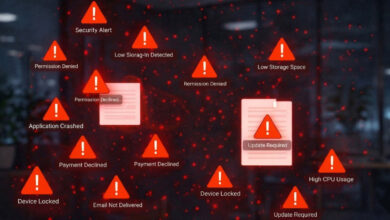
You’ve just wasted 45 minutes of your team’s time in a war room trying to track down an outage only to find out it was a misconfigured load balancer the whole time. The clues were buried in your alert stream, but they were buried under 600 duplicate notifications. That’s not just time and money wasted – it’s also goodwill, and it’s also burning out your team.
If this sounds familiar, you’re already convinced that you need an event intelligence system. Now you just need to know how to go about buying one that will actually work for you. Forget all the textbook definitions. This guide is going to cut straight to the chase and give you the evaluation criteria, red flags, pricing realities and decision frameworks you need to find an event intelligence platform that will be making your life easier in 12 months time, not just another tool to add to the shelf.
The 2026 Event Intelligence Market: What You Need to Know
The observability tool market is expected to grow from $3.07 billion in 2025 to $6.33 billion by 2032 at a CAGR of 10.9%, according to Coherent Market Insights. And within that market, AIOps event correlation has gone from being experimental to mainstream. So what does this mean for you? It means the category is crowded, and vendors are falling all over themselves to claim they have AI-driven event intelligence, but the capabilities vary wildly. Some platforms are full-stack observability suites that just bolted on correlation as an afterthought. Others are purpose-built for event intelligence, but lack the integrations your stack needs. Knowing what to look for, and what to avoid, is the difference between a platform that will pay for itself, and one that just ends up as shelfware.
Event Intelligence Pricing Decoded: What Vendors Actually Charge in 2026
Seven Must-Have Features in an Event Intelligence Platform
When you’re evaluating vendors, these are the capabilities that separate the platforms that are genuinely going to help you from the ones that are just making noise:
1. Cross-domain event correlation
This means the platform has to be able to ingest and correlate signals from all areas of your stack,from infrastructure, applications, and networks to cloud services and change management tools. If it only covers part of your stack, you’re still flying blind on the rest.
2. ML-driven noise reduction
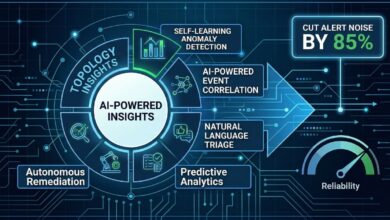
Manual suppression rules do not scale. Insist on machine learning models that deduplicate, group, and suppress alerts automatically. The best platforms cut alert noise by 80–95% without constant tuning. Scout I delivers exactly this through its Central Monitoring & Insights dashboard, which reduces noise by up to 85% out of the box.
3. Automated root cause analysis
Correlation alone just isn’t enough. What you need is a system that maps incidents against topology, and recent change, to surface the probable root cause in real-time, cutting days or even hours down to minutes.
4. Predictive analytics
Static thresholds miss slow-burn degradation. Demand dynamic baselines, trend forecasting, and AI-driven anomaly detection that catches problems before users report them. Scout’s AI-Powered Insights engine identifies anomalies before they cascade into outages.
5. A unified reliability metric
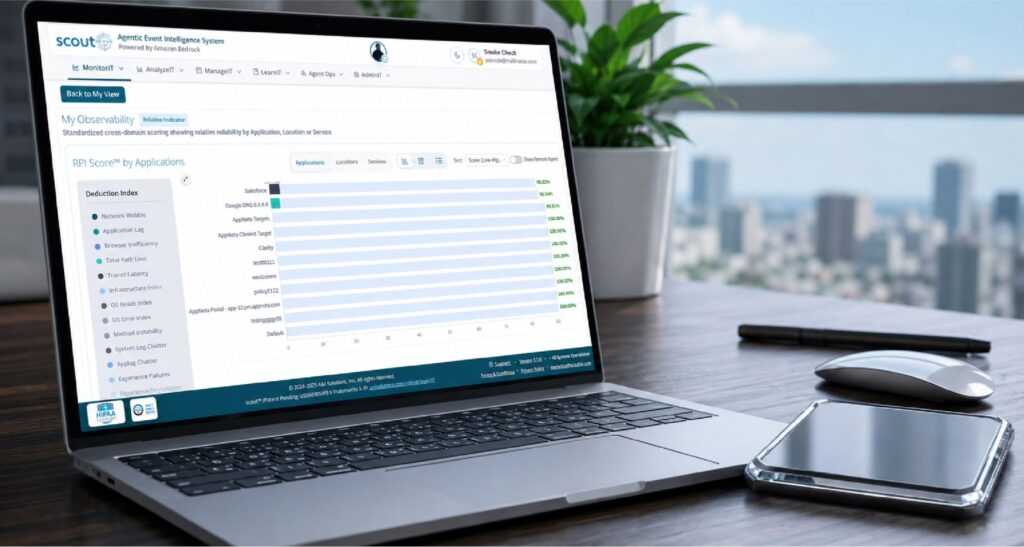
Engineering teams speak in p99 latency. Executives speak in revenue impact. A single reliability score bridges that gap. Scout’s Reliability Path Index (RPI) provides a real-time, stack-wide health score that both audiences understand.
6. Bi-directional ITSM integration
Tickets, chat rooms and runbooks should all be triggering automatically. If you’re having to copy-paste incident details into your ticketing system, the platform is adding friction, not removing it.
7. Fast time to value
If it takes weeks of professional services before you can even see a single correlated alert – that’s a red flag. What you need is a platform that can deploy in minutes, not months. And yes, Scout can do that too. It can get you up and running in as little as five minutes.
Red Flags to Watch Out for During Vendor Evaluation
Don’t be fooled by shiny demos they don’t always translate to production value. Here are some warning signs you need to watch out for:
- Black-box AI with no explainability. If the vendor can’t explain why alerts were grouped or suppressed, your team is not going to trust the output. What you need is transparent correlation logic and open-box ML.
- Correlation that only covers one domain. A platform that correlates application alerts but ignores network or infrastructure events is going to miss cross-layer root causes.
- No free trial or proof-of-concept option. If you can’t test the platform on your own data before signing on the dotted line, the vendor is taking a risk that you won’t notice the gaps.
- Pricing tied to unpredictable data volume. Volume-based pricing sounds reasonable until your data ingestion spikes during an incident – and your bill doubles overnight. What you need is a predictable pricing model.
- Long onboarding timelines. When a vendor takes weeks or months to deploy, it often means their product needs a customized overhaul that’ll keep your engineers busy long after the sale.
Buyer’s Evaluation Checklist
Use this checklist during vendor demos and POC evaluations to score platforms objectively:
| Evaluation Criteria | Must-Have | Nice-to-Have |
| Cross-domain event correlation | ✓ | |
| ML-driven noise reduction (80%+) | ✓ | |
| Automated root cause analysis | ✓ | |
| Predictive analytics / anomaly detection | ✓ | |
| Unified reliability score | ✓ | |
| Bi-directional ITSM integrations | ✓ | |
| Deployment under 30 minutes | ✓ | |
| Multi-tenant / MSP support | ✓ | |
| SOC 2 / HIPAA compliance | ✓ | |
| Free trial or POC available | ✓ |
Finding the Right Platform for Your Team
Your team’s needs and priorities should lead the way in your decision. Here’s how to match your profile to the features that matter:
- DevOps teams: Focus on speed, deployment should be quick and easy. Automated runbooks can save you time without adding more to your plate.
- SRE teams: You need a platform that speaks your language: reliability scoring, SLO tracking, and topology-aware correlation are must-haves. Scout was built with SREs like you in mind.
- Managed Service Providers: Multi-tenant dashboards, automated SLA reporting, and white-label branding are a must. Check out our MSP solution.
- Enterprise IT: You need a platform that can keep up with your infrastructure. Look for compliance certifications, scalability, and exec-friendly reporting that ties infrastructure health to business outcomes.
Pricing Models and ROI:What You Need to Know
Most Event Intelligence platforms are priced based on data volume, nodes monitored, or users. Some charge extra for premium AI features. Before you sign, make sure you know what you’re getting, and what’s gonna cost extra.
Industry benchmarks show that deploying Event Intelligence platforms can yield some amazing results:
- 50-80% reduction in mean time to resolution (MTTR)
- 80-95% reduction in alert noise and duplicate tickets
- $1-$2.4 million in annual savings from prevented outages
- 20-40% reduction in overall downtime
Scout offers a personalized demo with enterprise-grade features so you can prove ROI before committing. Use the interactive RPI Calculator to estimate savings specific to your infrastructure.
Conclusion
The Event Intelligence market has matured enough that you don’t have to break new ground. What you need now is a platform that combines everything into one cohesive package – cross-domain correlation, noise reduction, automated root cause analysis, and predictive analytics. Reject any platforms that take months to onboard or are shrouded in mystery.
If you want a platform that combines all this with a governed AI workforce, a Promise Theory backed architecture, and a deployment in under 5 minutes, we built Scout for exactly that. Book a demo with our team today..
Frequently Asked Questions
Focus on cross-domain correlation, ML-driven noise reduction, automated root cause analysis, predictive analytics, ITSM integrations, and a clear reliability metric like Scout-itAI’s RPI – the rest is just icing on the cake.
Industry benchmarks show leading platforms reduce alert noise by 80-95% – it really depends on the complexity of your environment and the quality of your monitoring stack.
Platforms built from the ground up should deploy in a jiffy – minutes or hours at most. If a vendor quotes weeks or months, it’s likely their platform needs a major overhaul. Scout-itAI can be set up in under 5 minutes.
Measure the reduction in MTTR, the number of prevented outages, the decrease in alert noise, and the engineering hours saved.
Data volume, monitored nodes, or users are all common pricing models. It’s a good idea to get a clear understanding of which features are included and what’ll trigger overage charges before you sign.
Absolutely. We offer multi-tenant dashboards, automated SLA reporting, and white-label capabilities designed specifically for MSPs like yourself.
RPI is Scout’s s patented reliability score that gives you a single real-time view of how all your different services are performing. That way, engineers and executives alike can get a clear picture of how your infrastructure is doing.
Event intelligence does its job by quickly linking alert messages to what the real problems are, and adding context about the system layout and the changes that were made. This all saves hours and hours of manual digging around, trying to figure out what went wrong. In general, you can expect to cut your MTTR in half to 80% of the time.
Keep an eye out for a product that uses black-box AI and can’t explain itself, or one that doesn’t allow you to see how it correlates events across different areas, or one that doesn’t give you a free trial, one with volume priced that you can’t plan for, and one that takes a long time to get started with.
Most teams see reduced alert noise and faster incident triage within the first week. Because Scout integrates with existing monitoring tools, deployment takes minutes not months.

Tony Davis
Director of Agentic Solutions & Compliance